有时,您可能希望从懒散加载中排除特定图像。有几种方法可以做到这一点。
排除使用 Perfmatters UI
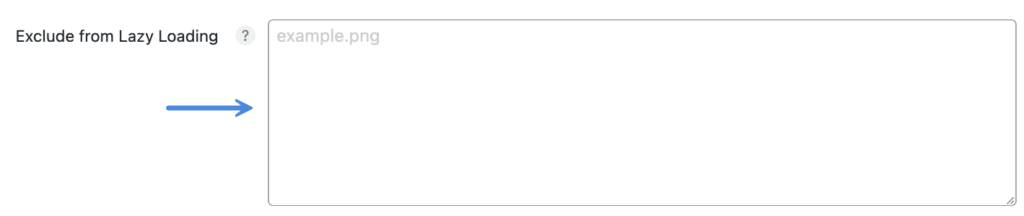
最简单的方法是在事务中使用 UI。通过添加源 URL(example.png)或添加其属性字符串的任何唯一部分(class=“example”)来排除元素。
格式:每行一个
如果您有一个像 ShortPixel 或 Imagify 这样的插件来提供 WebP 图像,那么您可能需要将 <picture> 标记作为目标。
这里有几个例子:
- 如果您正在使用像 GeneratePress 这样的主题,并且希望从延迟加载中排除徽标,则可以添加他们的 is-logo-image 类。
- 如果您想从博客文章的延迟加载中排除特色图像,可以使用它们的缩略图类,例如 class=“attachment full size full”。
no-lazy CSS 类别
如果您有权向要排除的特定图像添加 CSS 类,只需添加 no-lazy 类,当文档准备加载时,应该忽略该类。
perfmatters_lazyload_excluded_attributes 筛选器
如果要排除的图像更难直接访问和操作,我们有一个 WordPress 过滤器,可用于添加特定于所讨论图像的任何属性或属性部分。
在下面的示例中,我们针对的是包含 title=’perfmattents’ 属性或 partial class=’size-full’ 属性的任何图像。这只是一个字符串匹配,因此任何属性的任何部分都应该有效,它只需要与要排除的一个或多个图像精确匹配。
function perfmatters_lazyload_exclude_attributes($attributes) { $attributes[] = “title=’Perfmatters'”; $attributes[] = “class=’size-full”; return $attributes; } add_filter(‘perfmatters_lazyload_excluded_attributes’, ‘perfmatters_lazyload_exclude_attributes’);
以下是基于图像文件名匹配的排除示例。
function perfmatters_lazyload_exclude_attributes($attributes) { $attributes[] = ‘src=”https://domain.com/image.png”‘; return $attributes; } add_filter(‘perfmatters_lazyload_excluded_attributes’, ‘perfmatters_lazyload_exclude_attributes’);