LuckyWP Table of Contents – 插入目录 (2/3)

62f24d687400b screenshot3

LuckyWP Table of Contents 插件在文章中的插入方式。

自动插入

要在文章中自动插入目录,请在插件设置(选项卡“自动插入”)中选择选项“自动插入目录”。

支持的位置:

  • 在第一个标题之前;
  • 在第一个标题之后;
  • 在第一个区块之后 (段落或标题);
  • 在文章内容上方;
  • 在文章内容下方。

您还可以选择将自动添加内容目录的文章类型。

手动插入

要在文章中手动插入目录,请使用以下方法之一:

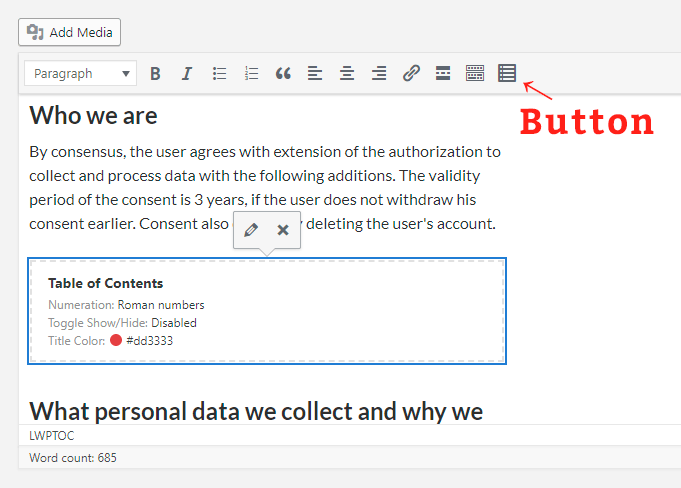
  • 通过经典编辑器中的按钮 “Table of Contents”;
  • 古腾堡编辑器中的 “Table of Contents”;
  • 短代码 [ lwptoc ].

Log In

Forgot password?

Forgot password?

Enter your account data and we will send you a link to reset your password.

Your password reset link appears to be invalid or expired.

Log in

Privacy Policy

Add to Collection

No Collections

Here you'll find all collections you've created before.