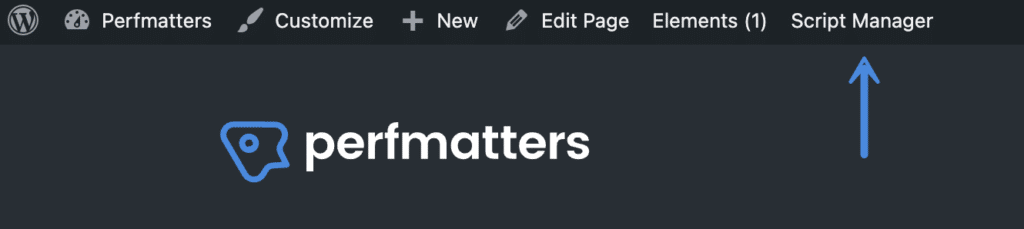
启用 Perfmatters 脚本管理器后,您需要浏览到站点上的页面或文章(它不会出现在 WordPress 主管理仪表板或插件设置页面中)。
然后,它将显示在站点的工具栏中。我们建议浏览您的主页并从那里开始。
如果您在 WordPress 站点上出于任何原因隐藏了管理栏,您也可以通过附加 ?perfmatters 在URL的末尾添加内容。例如:
https://yourdomain.com/?perfmatters

启用 Perfmatters 脚本管理器后,您需要浏览到站点上的页面或文章(它不会出现在 WordPress 主管理仪表板或插件设置页面中)。
然后,它将显示在站点的工具栏中。我们建议浏览您的主页并从那里开始。
如果您在 WordPress 站点上出于任何原因隐藏了管理栏,您也可以通过附加 ?perfmatters 在URL的末尾添加内容。例如:
https://yourdomain.com/?perfmatters
31 次查询,使用了 0.680 秒
Enter your account data and we will send you a link to reset your password.
Here you'll find all collections you've created before.