
DNS 预获取允许您在用户单击链接之前解析域名(在后台执行 DNS 查找),这反过来有助于提高性能。
这是通过在 WordPress 站点的标题中添加一个 rel=”dns-prefetch”标记来完成的。
<link rel=”dns-prefetch” href=”//domain.com”>
DNS 预获取的一些常见功能是您的 CDN URL、谷歌字体、谷歌分析或谷歌标签管理器等。
<link rel=”dns-prefetch” href=”//cdn.domain.com”>
<link rel=”dns-prefetch” href=”//fonts.geekzu.org”>
<link rel=”dns-prefetch” href=”//www.google-analytics.com”>
<link rel=”dns-prefetch” href=”//www.googletagmanager.com”>
启用 DNS 预获取
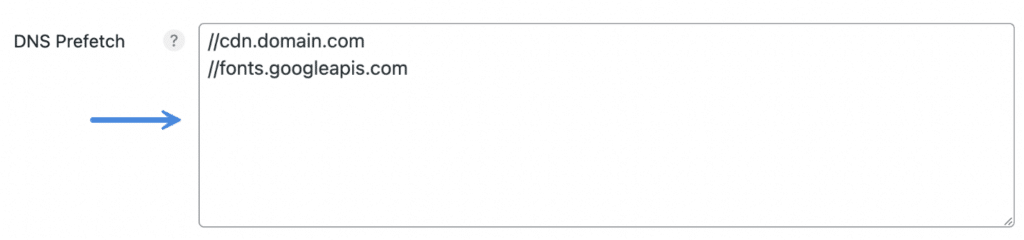
在 “DNS 预获取” 下,添加您的域(每行一个)。
不要添加 http:// 或 https://,这样无论协议如何,它都会得到解决。
此外,一些主题可能已经为某些东西(如谷歌字体)添加了DNS 预获取。
您可能希望查看源代码并进行快速扫描,以确保您没有尝试添加两次标记。